
Ziperase Autopilot Detection
Check Enrollment Status of Windows Devices Before Processing for Seamless Asset Disposition

Check Enrollment Before You Process the Device
Know which Windows devices are ready to work on before they reach the bench. Ziperase Autopilot Detection runs Windows Autopilot enrollment detection on every unit ahead of processing, reports its Intune status as well, and saves the result against the serial number. ITAD providers and Enterprise IT teams send cleared machines straight on to erasure and disposition.
Streamline Your ITAD Workflow
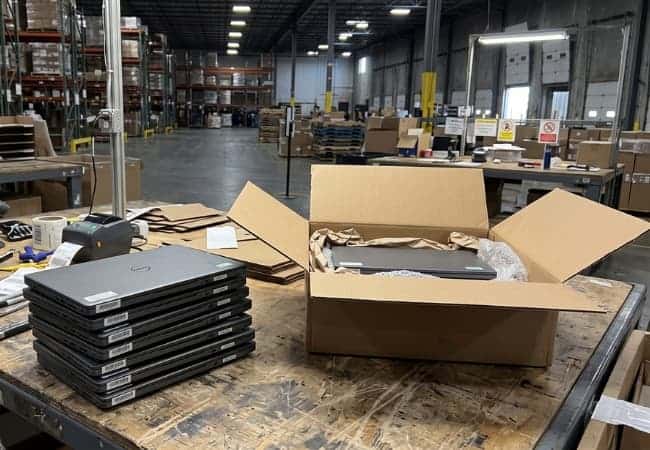
Detect enrollment status of devices before processing. Autopilot Detection eliminates the cost and labor of processing enrolled devices. Without it, ITADs and processors face wasted time, resources, and potential reputational damage from returned devices. Avoid reprocessing, shipping costs, and customer dissatisfaction by ensuring devices are truly ready for resale.
What Pre-Detection Saves You
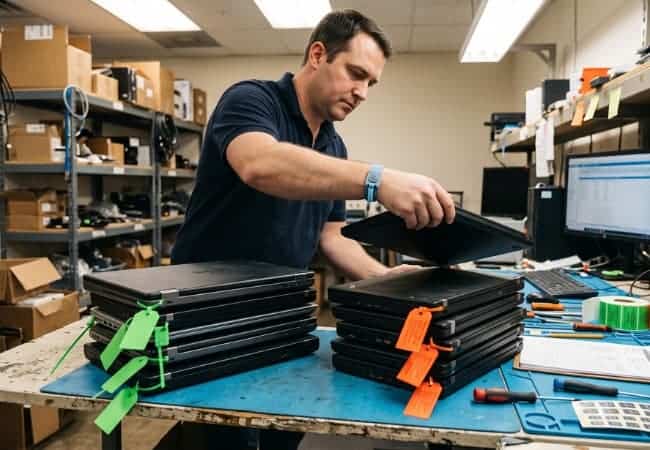
- Lower Cost per Unit: Each device goes through erasure and testing once, because enrolled units are identified before work starts.
- Freight Paid Once: Devices are confirmed as unenrolled ahead of dispatch, so they leave the warehouse and stay with the buyer.
- Capacity Without Added Staff: Technician hours go to devices that can be sold, so the same team completes more stock.
- Stronger Customer Relationships: Buyers receive devices they can set up as their own, which earns repeat orders.
- Resale-Ready Inventory: Every device listed for resale has its enrollment status on record, searchable by serial number.

Scalable Deployment for Maximum Efficiency
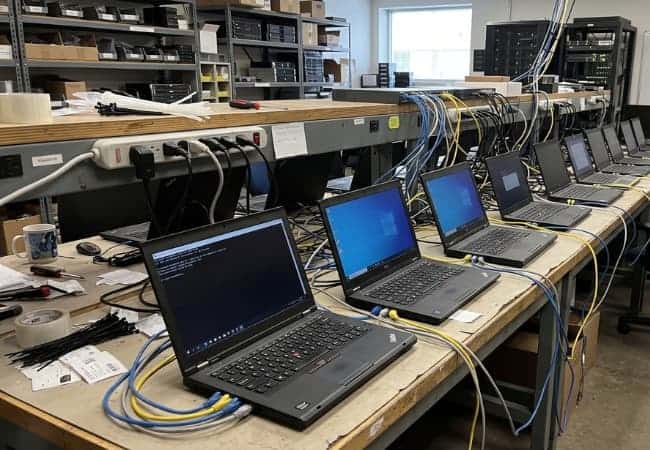
Easily integrate Autopilot Detection into your current processes, regardless of scale. Deploy it with your own ISO or leverage Command Center’s network boot capabilities for high-volume deployments. This flexible solution adapts to your workflow, saving you time and streamlining your operations without requiring major changes to your existing systems.
Search & Filter Enrollment Records
Maintain a complete history of all your device enrollment checks. Easily search and filter by serial number or enrollment status to instantly re-check any device. This saves valuable time and labor, eliminating the need to repeat the detection process or reprocess devices to re-check Autopilot enrollment.
Product Brochure

Portable Solution for Offline Devices
Collect enrollment information from offline devices with just a USB drive, then drag & drop the generated files into the Customer Portal to automatically detect and save current enrollment status. Perfect for on-site visits, remote locations, or processing environments with limited internet access.
What Autopilot Detection Does and Does Not Do
Ziperase Autopilot Detection is a pre-processing device check for Windows devices, built to do one job before erasure begins.
What It Does
- Detects Enrollment Status: Checks each Windows device against Microsoft’s APIs and returns its Autopilot and Intune enrollment status as Enrolled or Not Enrolled.
- Reads Device Identifiers: Runs from a USB drive or network boot and collects the hardware hash, serial number, vendor and model.
- Keeps a Record: Saves each result in the Ziperase Customer Portal with its check history.
What It Does Not Do
- Erase Data: Erasure is a separate step. Devices confirmed Not Enrolled go on to Ziperase USB Erase or Ziperase Command Center.
- Remove Enrollment: The organization that enrolled the device removes it from its own Autopilot or Intune account.
Deployment Options & Integrations
Check Autopilot status wherever your devices are, using the route that suits each site.
- Custom ISO: Works with custom ISO deployments, so the check slots into the process you already run.
- Command Center Network Boot: Load Autopilot Detection into Ziperase Command Center and it can run automatically on every network boot, with Command Center handling the connection for each device.
- Offline USB: Collect enrollment information on a USB drive at sites without internet access, then import the file into the Ziperase Customer Portal.
- Customer Portal Records: Results from every route are stored together in the Ziperase Customer Portal and can be exported for audit records.
Ziperase Autopilot Detection FAQs
Q: What is Windows Autopilot enrollment and why does it matter for ITAD?
A: Windows Autopilot enrollment registers a device to an organization through its hardware, and that registration stays with the device through a wipe or a fresh Windows installation. An enrolled device asks its next owner to sign in to the previous organization during setup, so ITAD providers and Enterprise IT teams confirm enrollment status before a device is processed and resold.
Q: Does Ziperase Autopilot Detection remove a device from Autopilot?
A: No. Ziperase Autopilot Detection reports whether a device is Enrolled or Not Enrolled. The organization that enrolled the device removes it from its own Autopilot or Intune account.
Q: Do I need an internet connection at the device to check enrollment with Ziperase Autopilot Detection?
A: Only if the device sends its data straight to the Ziperase Customer Portal. Devices booted through Ziperase Command Center connect through Command Center, and offline mode saves a file to the USB drive for import into the portal later.
Q: Can I re-check a device with Ziperase Autopilot Detection without reprocessing it?
A: Yes. Find the device by serial number in the Ziperase Customer Portal and run an update, which triggers a fresh live check against Microsoft’s APIs. Each record keeps its check history with timestamps.
Q: How do I deploy Ziperase Autopilot Detection at volume?
A: Use network boot through Ziperase Command Center. Upload the Autopilot Detection ISO to Command Center and set it to run automatically on every network boot, so each device is checked as it boots.
Q: Does Ziperase Autopilot Detection also detect Intune enrollment?
A: Yes. Ziperase Autopilot Detection detects both Autopilot and Intune enrollment status on Windows devices.
Q: Where are the Ziperase Autopilot Detection enrollment records stored?
A: In the Ziperase Customer Portal, under Enrollments. Each one can be searched, filtered by status and exported for audits.
Q: Does Ziperase Autopilot Detection erase the device?
A: No. Ziperase Autopilot Detection checks enrollment status only. Devices confirmed Not Enrolled go on to erasure with Ziperase USB Erase or Ziperase Command Center.