

Ziperase Device Link for Chromebooks
Automated Erasure & Testing for Chromebooks

Streamline Your Chromebook Refurbishment Workflow
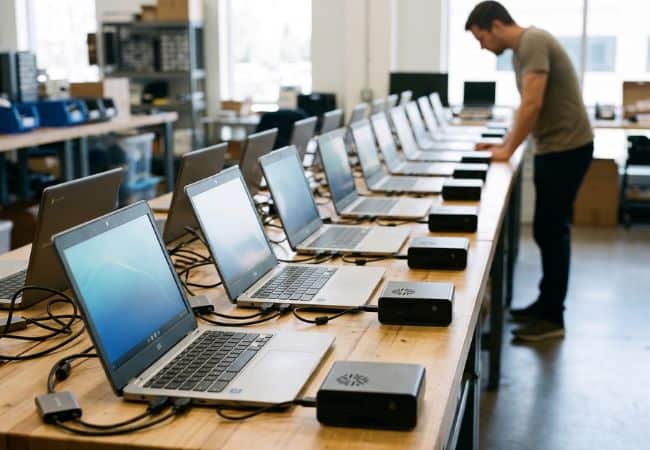
Ziperase Device Link takes each Chromebook from intake to its next user in one automated sequence: erased, tested and certified. This Chromebook data erasure software runs the ChromeOS powerwash following Google’s best practices and erases to NIST SP 800-88 R2 and IEEE 2883:2022. It is built for ITAD providers and Enterprise IT teams processing education and corporate fleets.
Chromebook Volume Without the Manual Powerwash
Chromebooks come back in large batches whenever a school district or company refreshes its fleet, and each device is headed somewhere different: redeployment, donation, resale or recycling. Clearing them by hand means a technician powerwashing one device at a time and noting each result on a sheet. Auditors expect a software-generated record for every unit, showing what was erased, when and how, and a handwritten log falls short. Without it, the organization that handed over the hardware cannot close its disposal file, and the processor has nothing to show for the work. Condition checks done by eye let faults slip through to the next user. Faced with that, many facilities shred the storage, and a Chromebook that could have served another classroom or office is lost.
Device Link for Chromebooks holds the world’s first ADISA certification for Chromebook erasure. Each sequence also checks for enterprise locks, so enrolled devices are caught before they move on.
What Automated Chromebook Processing Recovers
- More Capacity, Same Team: Automated erasure and testing sequences let technicians process more Chromebooks each shift without adding staff.
- Ready for Any Technician: Device Link handles the ChromeOS-specific steps, so anyone on your team can process Chromebooks.
- Evidence for Every Customer: Signed per-device certificates show school districts and companies that every unit they handed over was erased.
- Devices Ready for Their Next User: Recorded hardware results confirm each unit works before it is redeployed, donated or resold.
- Lower Cost per Unit: Shorter hands-on time lowers the labor cost of every Chromebook, wherever it goes next.

R2v3 Compliant Hardware Testing
Each Chromebook leaves Device Link with a recorded result for every hardware test, ready for R2v3 audits and its next user. The standard sequence runs the tests ahead of the powerwash, and the technician confirms the webcam output on screen.
- Keyboard
- Touchpad
- Screen
- Webcam
- Audio input and output
Streamlined Processing & ChromeOS Compatibility
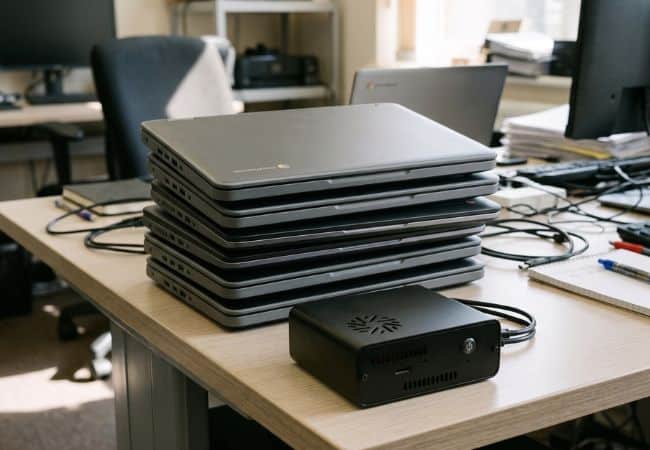
Device Link processes every Chromebook model on current ChromeOS, including late 2025 and 2026 releases, plus Chromeboxes, so mixed batches run on one station. Its patented automation reads the device’s video output and emulates the keyboard and mouse, and the technician connects a single adapter to one USB-C port. Three sequences cover a full erase and test, erasing without hardware tests, and testing in standard mode with no powerwash.
Detailed Reporting & Auditing
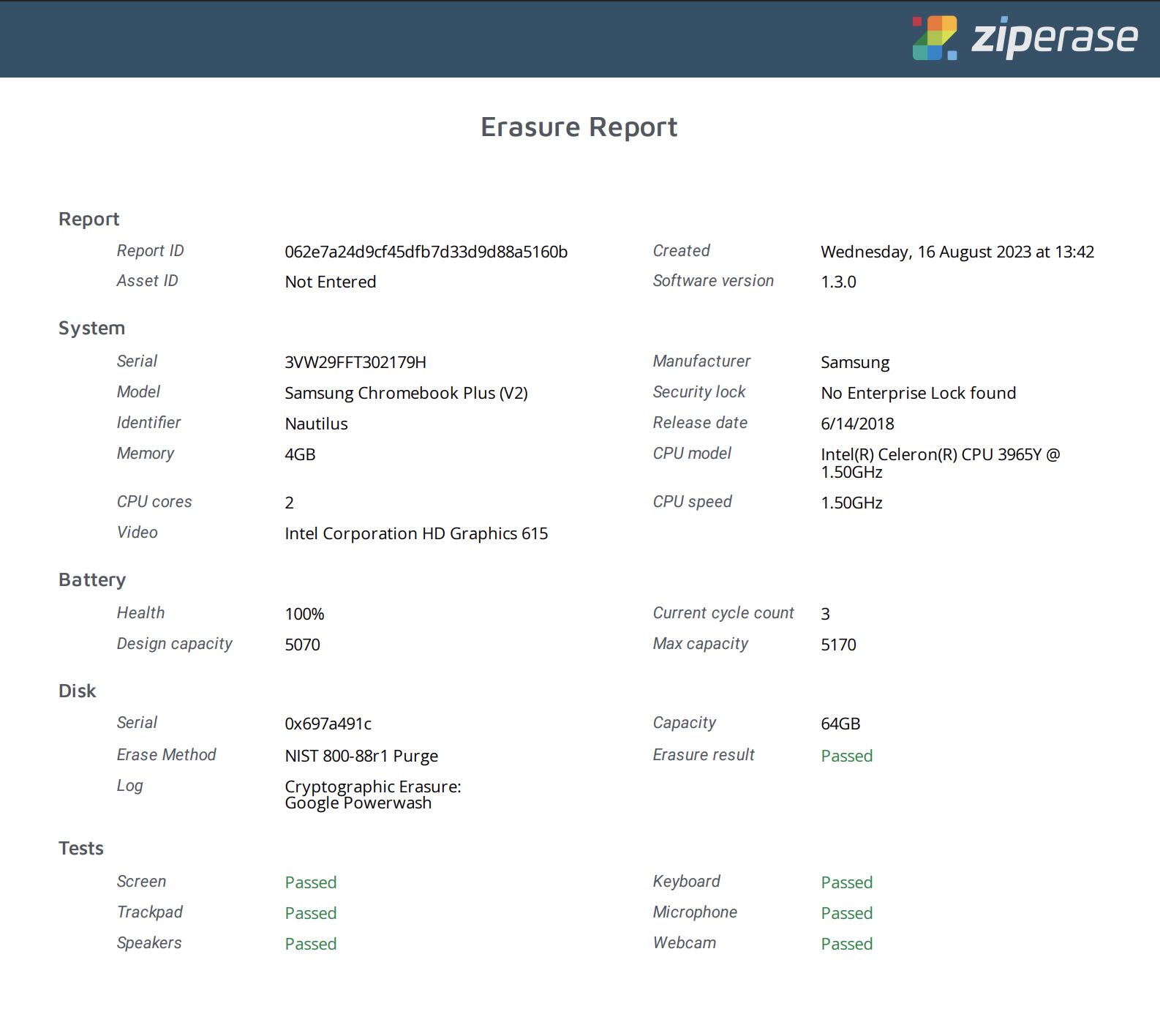
A full audit trail comes with every device processed. Device Link records system information, erasure method, test results and status on a tamper-proof, digitally signed certificate. Reports from all your stations gather in the Ziperase Customer Portal in PDF, CSV and JSON, and they can be split into sub-groups to keep reporting separate for each site or customer. Extra fields capture any detail your process needs, as text, numbers or yes/no answers, and can be made required.
Erasure CertificateCertified & Compliant Chromebook Erasure
Device Link for Chromebooks holds the world’s first ADISA certification for Chromebook erasure, with independent testing confirming that data processed by the software is unrecoverable. Each sequence also checks for enterprise locks, so enrolled devices are caught before they reach a buyer.
- Certifications: ADISA Product Claims Level 4
- Standards: NIST SP 800-88 R2 and IEEE 2883:2022 for erasure, R2v3 for hardware testing
- Regulatory Frameworks: GDPR, UK GDPR, PCI DSS, FERPA, Australia’s Privacy Act, Singapore’s PDPA, etc.


Seamless ERP Integration
Chromebook data reaches the business platforms your team already relies on. Device Link stations integrate directly with Makor ERP and RazorERP and can send results to other applications by webhook. Reports also sync to the Ziperase Customer Portal, where a REST API connects them to your existing systems, including your ITAM software. The same Device Link box can be set up for Mac processing with Device Link for Macs.
Software Integrations
Device Link for Chromebooks FAQs
Q: Does Ziperase Device Link work with all Chromebook models and ChromeOS versions?
A: Yes. Device Link supports all Chromebook models running current ChromeOS, including late 2025 and 2026 models, and Chromeboxes.
Q: How is Ziperase Device Link different from a manual powerwash?
A: Device Link runs the ChromeOS powerwash under automated control, tests the hardware in the same sequence and records the outcome on a tamper-proof, signed certificate for each Chromebook. R2v3 accepts a factory reset only when software directs, controls and records it for every device, which is how Device Link works. If the automatic powerwash fails, Device Link falls back to a manual powerwash.
Q: Do I need to deprovision the device in the Google Admin console before using Ziperase Device Link?
A: Yes. Remove each Chromebook from the Google Admin console, or any other management profile, before processing. An enrolled Chromebook cannot switch to developer mode or allow a Guest login.
Q: Which hardware components does Ziperase Device Link test?
A: Device Link tests the keyboard, touchpad, screen, webcam, and audio input and output. Each result is recorded, and the technician confirms the webcam output on screen.
Q: Which erasure standards does Ziperase Device Link for Chromebooks meet?
A: Device Link erases Chromebooks to NIST SP 800-88 R2 and IEEE 2883:2022, and its hardware testing is R2v3 compliant. It holds ADISA Product Claims Level 4, the first ADISA certification for Chromebook erasure.
Q: What formats are Ziperase Device Link reports available in?
A: PDF, CSV and JSON, through the Ziperase Customer Portal.
Q: How many Chromebooks can one Ziperase Device Link station process per shift?
A: One station processes one Chromebook at a time, and a full sequence takes just under 9 minutes from power-on to finish. The total per shift depends on the length of the shift and how many stations run side by side.
Q: Who is Ziperase Device Link for Chromebooks for?
A: ITAD providers and Enterprise IT teams, including school districts, that erase Chromebooks before redeploying, donating, reselling or recycling them.